E-commerce

Start your own affiliate shop.

The feeds you already import become a browsable storefront on your own domain, with the categories, filters and search your readers know from every shop they use.

  • Your domain, your design, your affiliate links
  • Categories, filters and sorting out of the box
  • The structured data Google expects from a retailer

14-day money-back guarantee · Cancel from your dashboard

yourblog.com/shop
7 productsFeatured

Try the filters. This is the layout your visitors get.

What stays buried without one

You already have the catalogue. Without a shop, your readers never meet most of it.

One

Your best products sit in old posts

A product you featured last spring is reachable only by whoever finds that one article again. Everything else in your feed was never visible at all.

Two

Readers can read, but not shop

No way to narrow by colour, size or price, no way to see what else you carry. A visitor with money in hand runs out of road and leaves.

Three

You never rank for what shoppers type

People search for categories and brands, not for the title of your roundup. With no category pages, there is nothing for Google to rank.

The catalogue is already inside your WordPress. Every product you imported sits in your own database, waiting. The shop is simply the surface that lets people walk through it, built from the same feeds that already fill your posts.

01

Three steps to a storefront

No theme to buy, no developer, no second platform to keep alive.

One

Turn the shop on

Pick the address it lives at. The shop gets its own URL on your site, and your blog posts stay exactly as they are.

Two

Build your categories

Make the tree your readers will use. Smart search suggests products by keyword, brand and feed; you confirm what belongs, and later imports follow the rules you set.

Three

Publish, then keep writing

The storefront goes live with its own sitemap. From then on, placing a product in a post can add it to the shop with a single toggle.

Two — the storefront

A shop your readers already know how to use

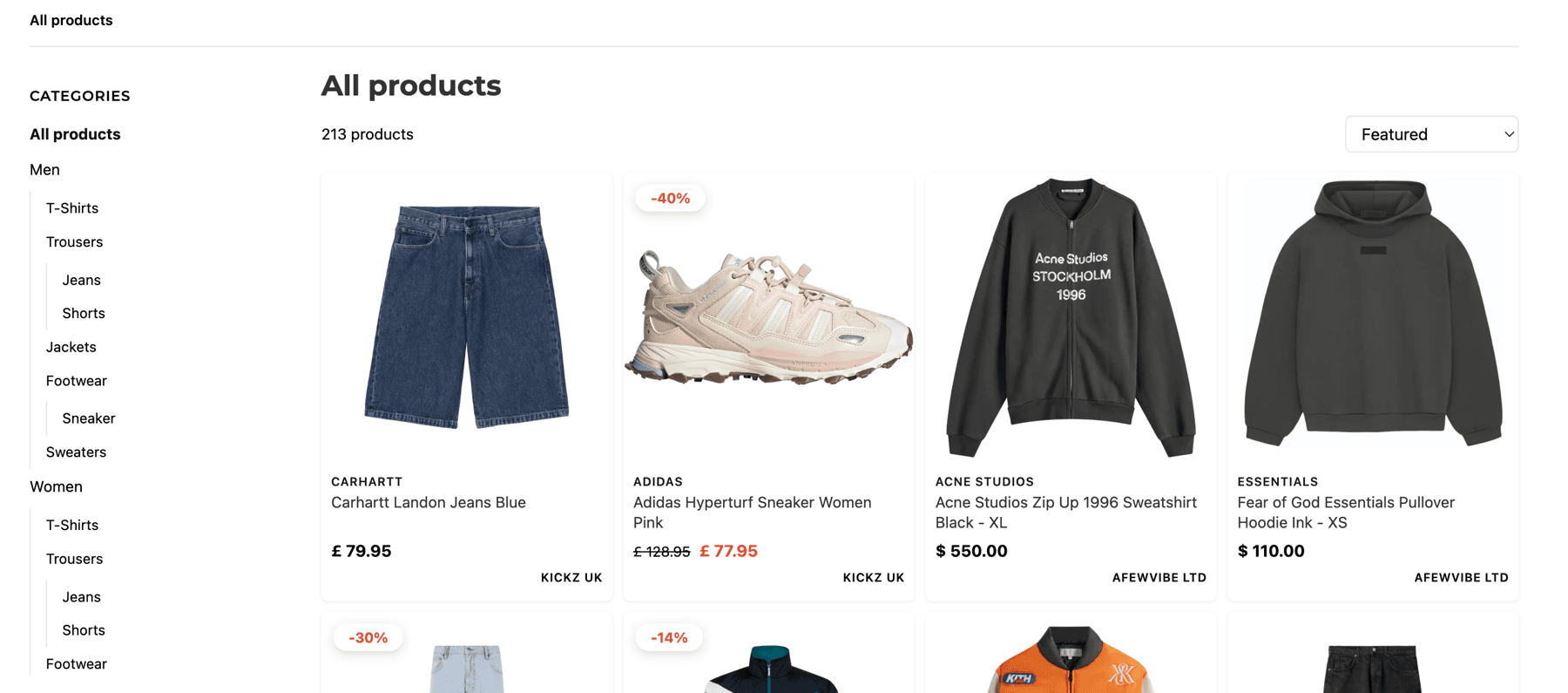
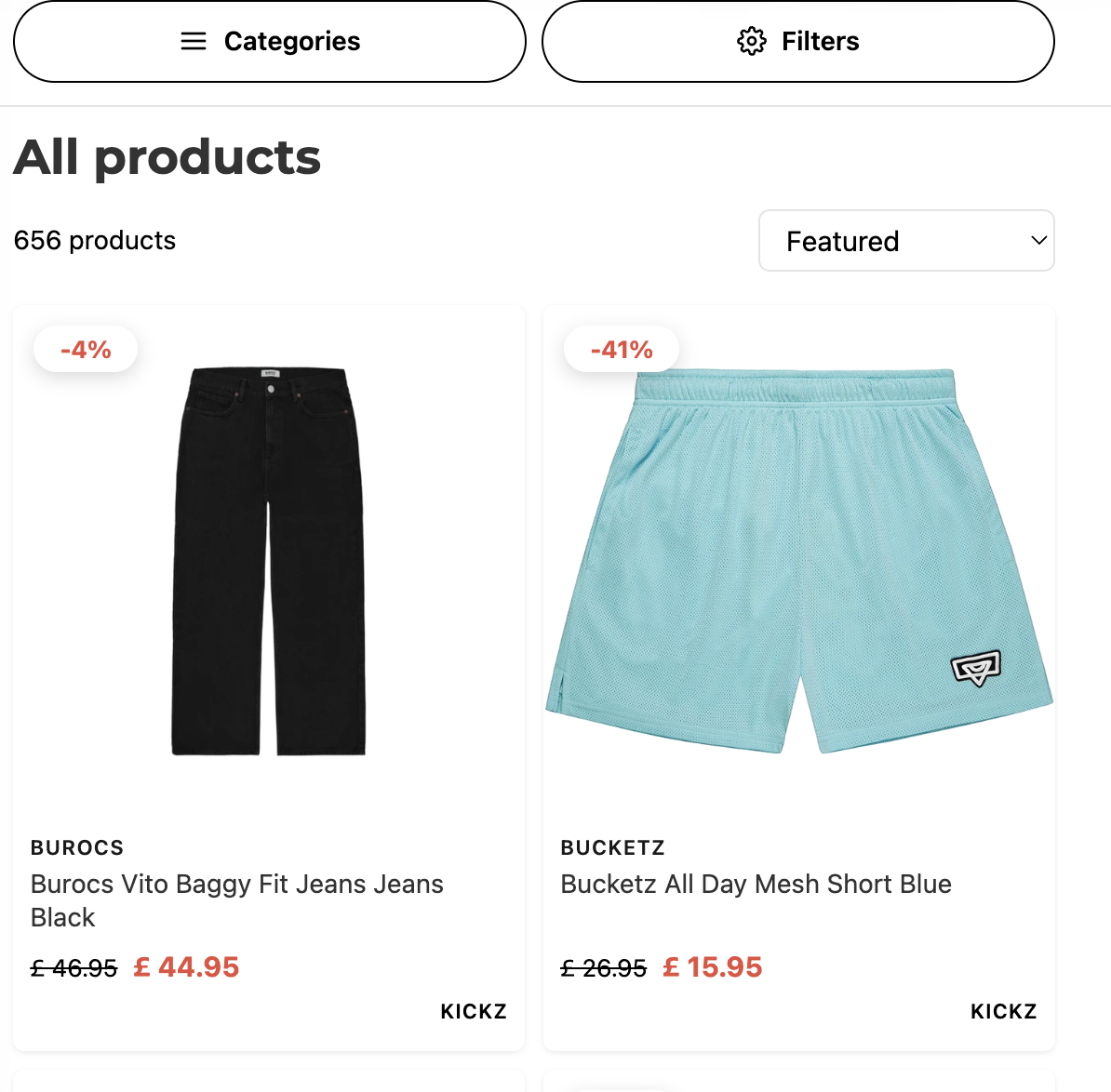
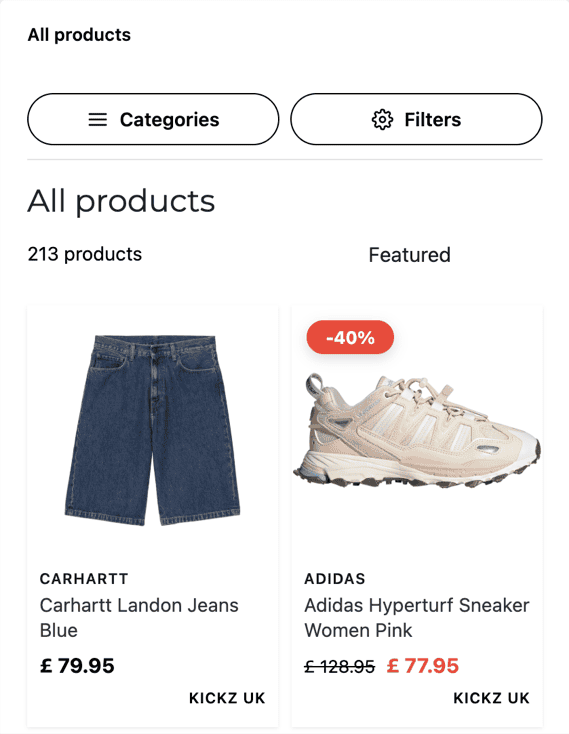
Category navigation, brand filters with live counts, search, and sorting by price, popularity or discount. Every route out of it carries your affiliate link.

A MyFeeds storefront with category navigation, brand filters, search and a product grid

Your categories, your filters, your design.

Open my shop for 14 days, free →
02

Your side of the same shop

Everything above is what your reader meets. This is where you steer it, all inside WordPress.

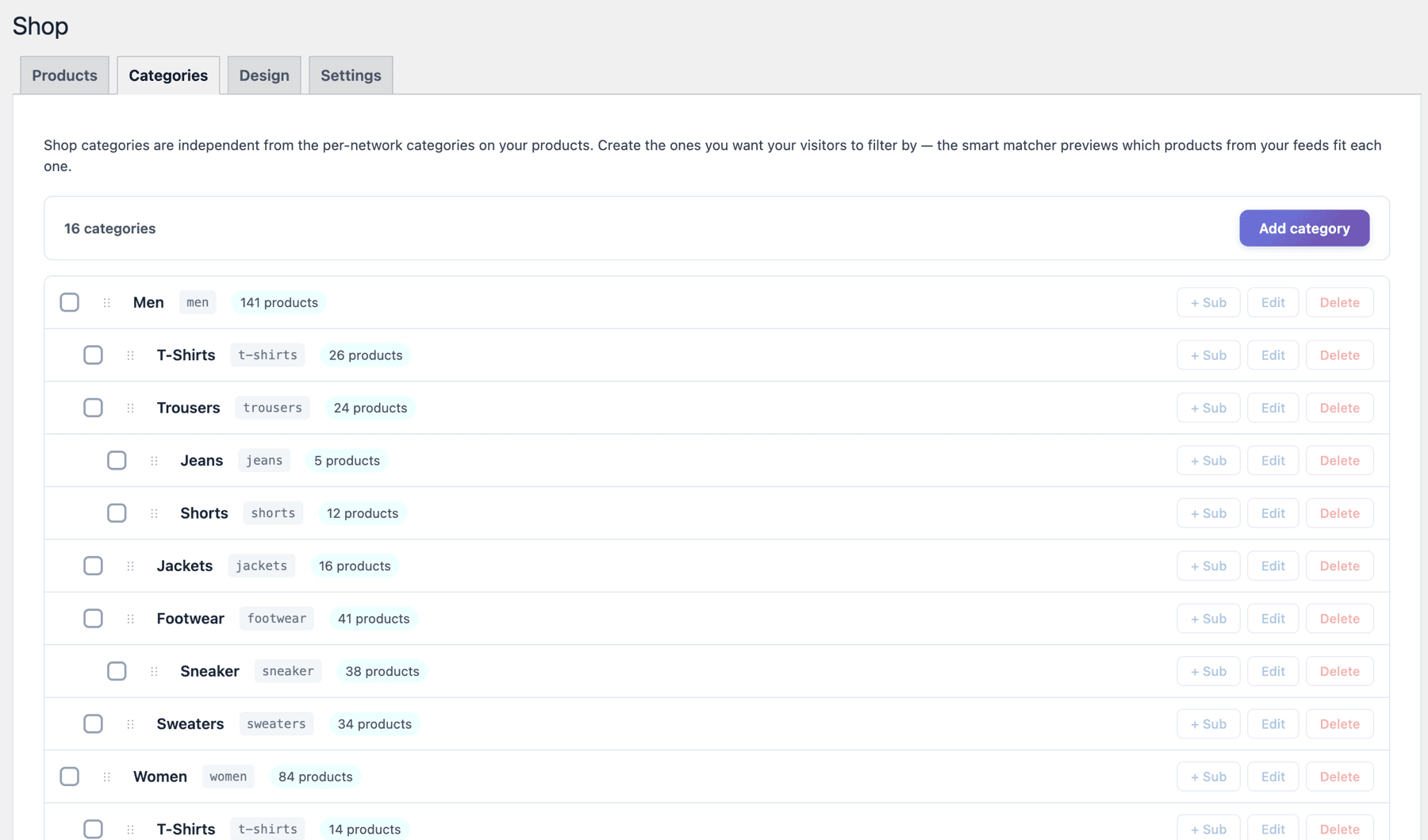
Organised the way your readers shop

Build the tree they will actually use. Smart search suggests products by keyword, brand and feed source; you confirm what belongs, and later imports follow the rules you set.

The MyFeeds category editor with a category tree and product assignment

It should read as a continuation of your writing

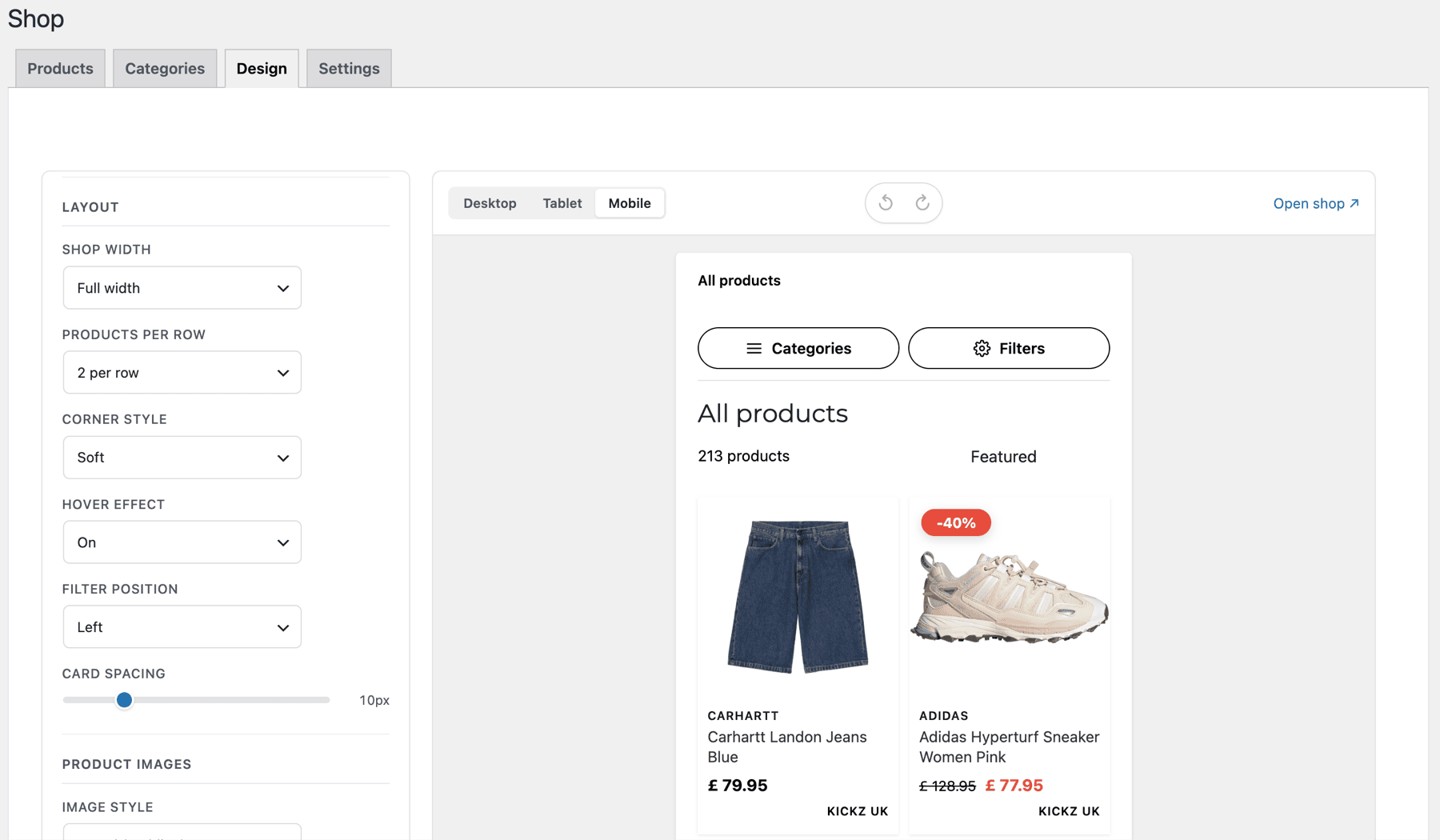
Colours, typography, tile density, hover behaviour, badge placement, sidebar side, pagination. Live preview across phone, tablet and laptop. No code anywhere.

The MyFeeds shop design editor with controls and a live storefront preview

You find out what actually earns

Which posts earn, which products sell, and which brand quietly makes the most money. Clicks and network conversions land in the same dashboard.

Clicks · 30 days24,531▲ 18%
Unique visitors7,842▲ 9%
Commission · approved$1,904▲ 22%
Dead products flagged37

Sample figures. Your dashboard fills them from your own clicks and your own network conversions.

03

Google treats it like a shop

The part most affiliate setups never get right. Here it is built in rather than bolted on.

Marlon, who builds MyFeeds

The shop runs on our own affiliate site before it reaches yours. It exists because someone needed a storefront for his own feeds and got tired of waiting for one.

Read the longer version →

How it fits your site

The shop is a page on your own WordPress install, at an address you choose. It reads the same imported catalogue your posts already draw from, so there is one set of products and two ways to meet them: inside an article, or by browsing.

Nothing is proxied. Products live in your database, pages are served by your site, and every outbound click carries your affiliate link.

What happens if you cancel →

The storefront stops being publicly reachable. Your products, your feeds, your posts and the free-plan picker keep working exactly as before, and re-subscribing brings the shop back the way you left it.

04

Before you start the trial

The shop-specific questions.

What is the storefront exactly?

A real shop page on your domain. Your products appear in a categorised, filterable, searchable layout, sorted by price, popularity or sale. Visitors browse the way they would on any retailer's site, and every checkout goes through your affiliate link.

Do I have to sort products into categories by hand?

The smart mapper suggests products by keyword, brand and feed source. You confirm the matches, refine the rules, and later imports drop into the right categories on their own.

Does the shop affect my blog?

No. The shop lives on its own URL and you pick the slug. Your posts stay untouched. The picker that fills your posts is the same one that fills the shop: one catalogue, two surfaces.

Can I design the storefront myself?

Colours, typography, tile density, hover behaviour, badge placement, sidebar position and pagination mode are all editable with a live preview. No code.

What can I sell?

Anything your affiliate networks expose in a feed: fashion, tech, home, beauty, garden, hobbies. The plugin doesn't care about the niche. If your network hands you a feed URL, you can stand up a shop.

How long is the trial?

14 days with full access to the shop, the design editor, the SEO engine and smart categories. Cancel from your dashboard whenever. Your free-plan setup and the posts you have built stay intact.

What happens to my data if I cancel?

The storefront stops being publicly accessible. Your products, feeds, posts and the free-plan picker keep working. Re-subscribing brings the shop back the way you left it.

Your feeds are already there. Give them a shop.

Fourteen days, full access. If it doesn't fit, you keep the free plugin and everything you built with it.

Open my shop for 14 days, free → or compare all plans