
Top earning posts
The posts your readers buy through most.
- My fall uniform, in three pieces$96.40 · 612 clicks
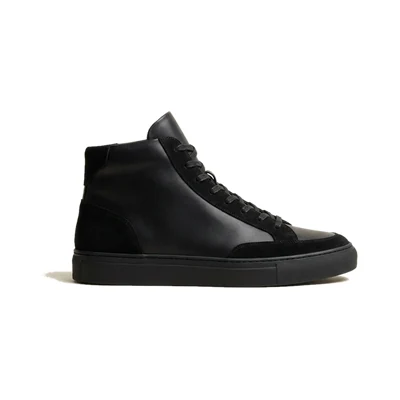
- Ten sneakers I actually wear$71.15 · 498 clicks
For WordPress affiliate blogs
Pick products from the shops you're an affiliate for, right in the WordPress editor. Your readers get a little shop in your post, click straight through to buy, and the prices keep themselves current.
Free plugin to start. Paid plans from $9 a month, each with a free trial.
See how it works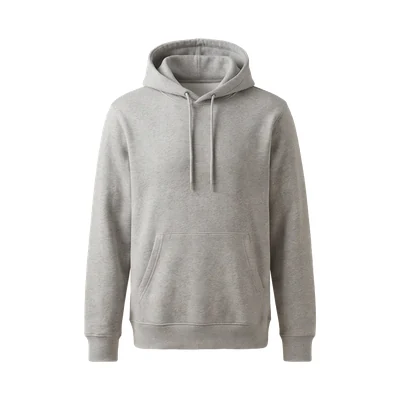
You want the products part of a post to look as good as everything you wrote around it.
A row of links asks readers to go and look somewhere else before they know what you picked.
Copy the link, save the image, retype the price, repeat. A roundup eats the time you wanted for the next post.
Prices move and products sell out. Your best post keeps sending readers to a page that no longer exists.
Style notes
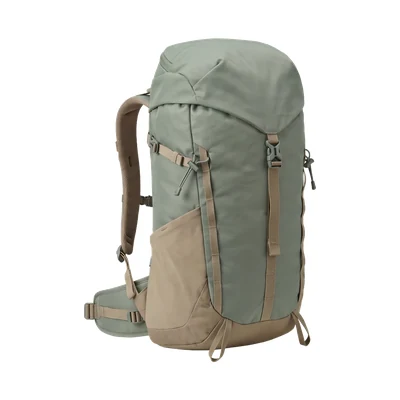
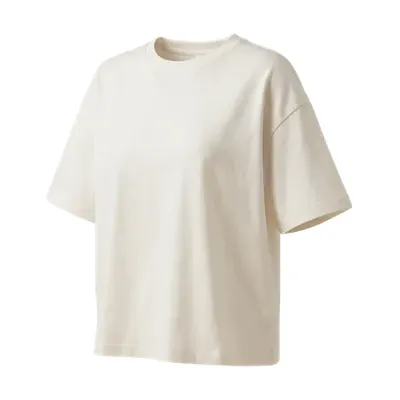
My fall uniform, in three pieces
Three things I reach for most mornings:
The same post, with MyFeeds
The products sit right where you write about them. Readers tap the one they like and land in the shop through your affiliate link.
Style notes
My fall uniform, in three pieces
Three things I reach for most mornings. Tap a card to see it in the shop.

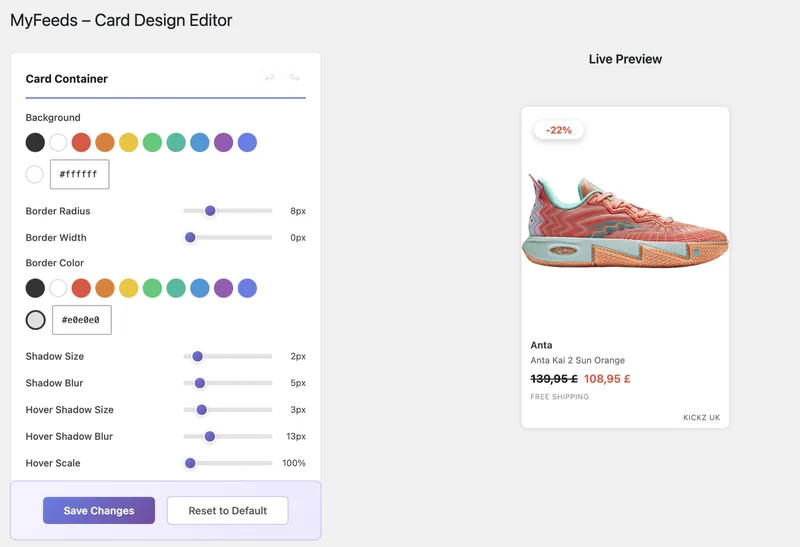
Card design editor · in every paid plan
Pick the colours, corners and fonts once in WordPress. Every card in every post you have published follows, so the products feel like part of your site.
Three examples of how your card could look. You can change every part of it.
The Starter trial: 7 days free, then $9 a month.
Pro plan · what it adds
Turn your own photos into something readers can shop, and find out which posts and products bring the money in.

Every click on a card is counted. See clicks, visitors and earnings for each post, product and brand, and write more of what works.
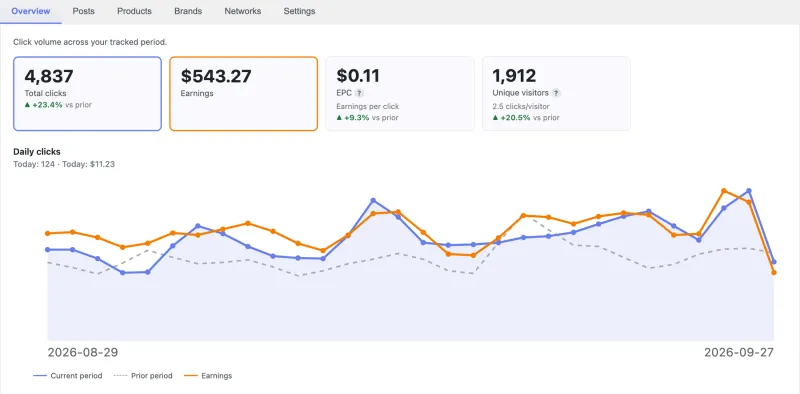
The posts your readers buy through most.
Arlo & Finch gets 2.4× your average clicks per post.
Posts gaining or losing clicks against the 30 days before.
Products a shop stopped selling, still in your posts. Click one to open the post and swap it.
Then $19 a month. You can cancel from your dashboard.
Search the product feed of a shop you're an affiliate for, click the products, publish. Recorded in the WordPress block editor.
E-commerce plan · the next step
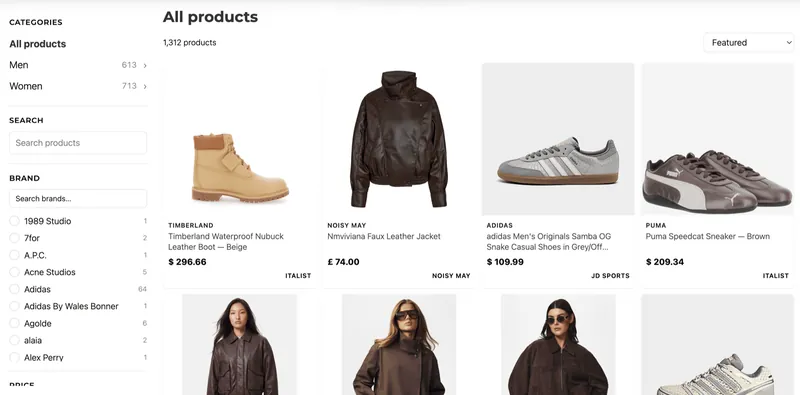
The same products get their own shop on your site, at a URL you choose, with categories, filters like brand, colour and price, a search box and sorting. Every product still links out to the merchant with your affiliate link. You are not selling or shipping anything.
What your readers see: a category menu, filters and a product grid, on a laptop, a tablet or a phone.
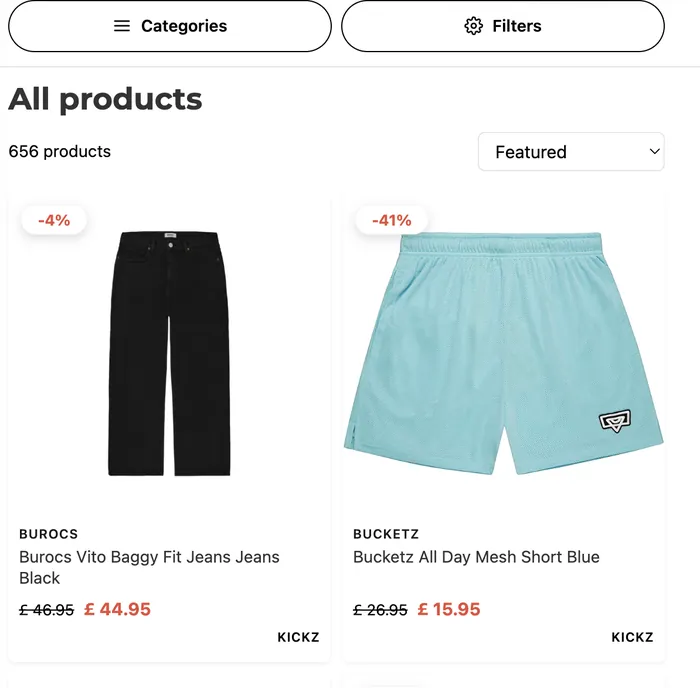
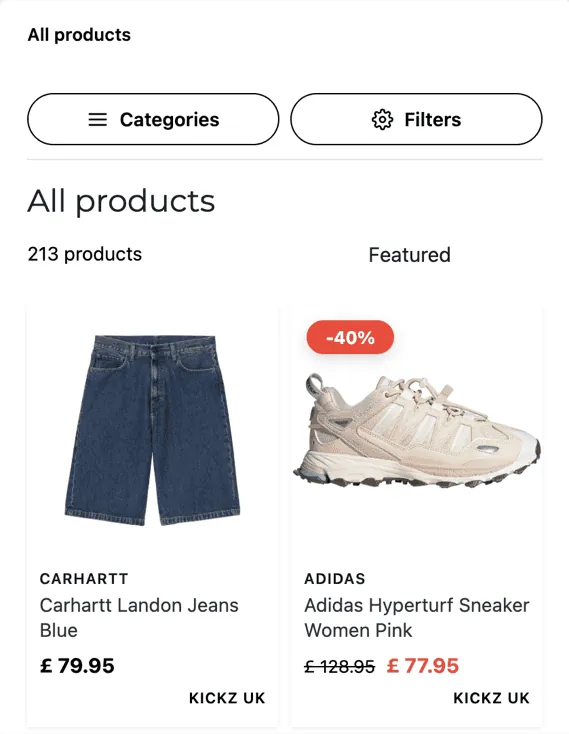
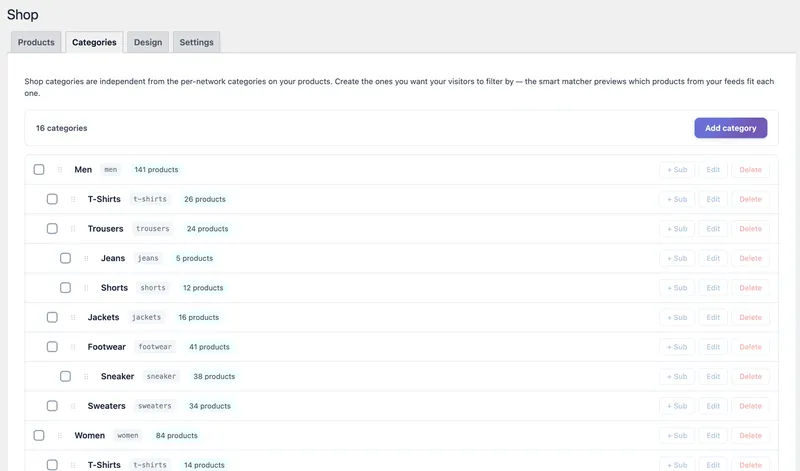
Name the sections your shop should have. Clothing in this example, so Men, Women, Shoes. A car parts site would say Brakes, Filters, Tyres.
MyFeeds proposes products for each one, and you tick off what belongs. Turn rules on, and products from later imports are proposed for the same sections.
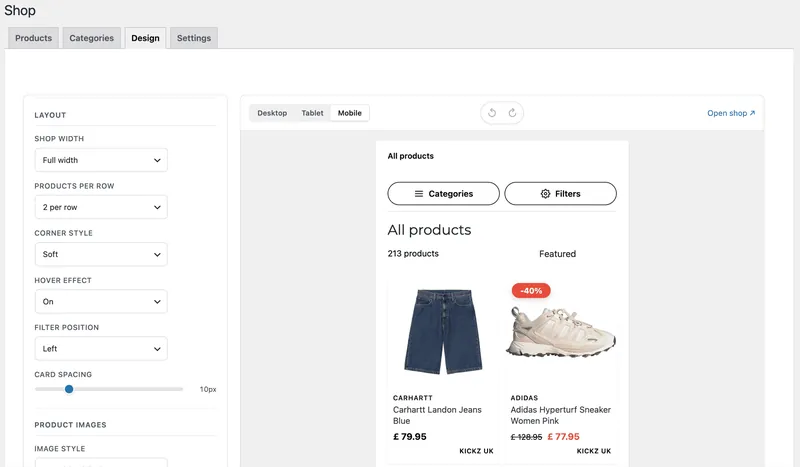
Set the colours, fonts, how many products sit in a row, what a hover does and which side the filters are on. A live preview shows phone, tablet and laptop.
No theme to buy and no code anywhere.
Compare E-commerce with the other plansSee the whole storefront in action
The free plugin covers your first feed. When your catalogue and your audience grow past it, the upgrade happens inside your WordPress dashboard. Your posts, your settings and your data carry over.
How it looks
$9/mo
or $89 per yearSingle site license
Everything in Free, plus
14-day money-back guarantee · Cancel from your dashboard
What it earns
$19/mo
or $199 per yearSingle site license
Everything in Starter, plus
Amazon has no feed file, so its products come live from Amazon's own Creators API. Amazon opens that access to associates with ten qualified sales in thirty days.
Step-by-step install guide Try every Pro feature free for 7 days14-day money-back guarantee · Cancel from your dashboard
A shop of your own
$49/mo
or $499 per yearSingle site license
Everything in Pro, plus
14-day money-back guarantee · Cancel from your dashboard
One shop's product feed. $0, free forever.
Starter and Pro start with a 7-day free trial, E-commerce with 14 days. The checkout asks for a card or PayPal to start it. Cancel from your dashboard before the trial ends and you are not charged.
Prices in USD, exclusive of VAT. EU customers see local tax at checkout. First time? The setup guide walks you through it.
Still deciding? These are the ones people ask first.
If your network gives you a shop's product feed link, MyFeeds reads it. AWIN, CJ, TradeDoubler, Impact, Rakuten, Webgains, Admitad, Pepperjam, Partnerize, FlexOffers and Sovrn are recognised out of the box, and other CSV, TSV, XML and JSON feeds work too. Amazon has no feed file, so on Pro and up its products come live from Amazon's own Creators API; Amazon opens that access to associates with ten qualified sales in thirty days. How to get a feed link from your network.
MyFeeds keeps growing, so that every affiliate can bring in the product feeds of the shops they work with. Is your platform missing? We can connect more platforms on request: write to support@myfeeds.site.
A link tool helps you paste links, one product at a time. A product feed hands you a shop's whole catalogue, prices and stock included: you search it inside the editor, pick in seconds, and the cards are updated every night, everywhere. Your readers see product cards they can buy from instead of a list of links.
No. The free version lives on WordPress.org and covers one feed, the smart search, the grid layout, and manual plus nightly sync. Upgrade only when you outgrow it.
The Starter and Pro trials are 7 days, the E-commerce trial is 14 days. The checkout asks for a card or PayPal to start it, and you can cancel from your dashboard before it ends. If you don't continue, your plugin falls back to the free tier. Your existing feeds, posts and configuration stay intact.
Every plan refreshes prices from the shop's feed every night. On Pro, MyFeeds also tells you when a product you linked is no longer sold and which posts still show it, so you can swap in another one.
It still works. MyFeeds recognises the format on its own, and when a shop leaves a column out or empty, it looks for the same information elsewhere in the row. A messy feed doesn't break your import.
Most setups land in five to ten minutes. Paste the product feed link of a shop you're an affiliate for, and MyFeeds imports it. Open the block editor, type two letters, drop a card in.
Products are stored in your own WordPress database and the cards are built from there, so your posts don't wait on a product service to answer.
No code, no command line. If you can install a WordPress plugin and paste a link, you're set. On the paid plans, a short guided demo walks you through each main MyFeeds screen the first time you open it, and you can replay it any time.
Yes, any time, right from your WordPress dashboard. Your feeds and posts stay as they are.
7 days free, then $19 a month. Cancel before the trial ends and you pay nothing.
Not sure yet? Start with the free plugin.