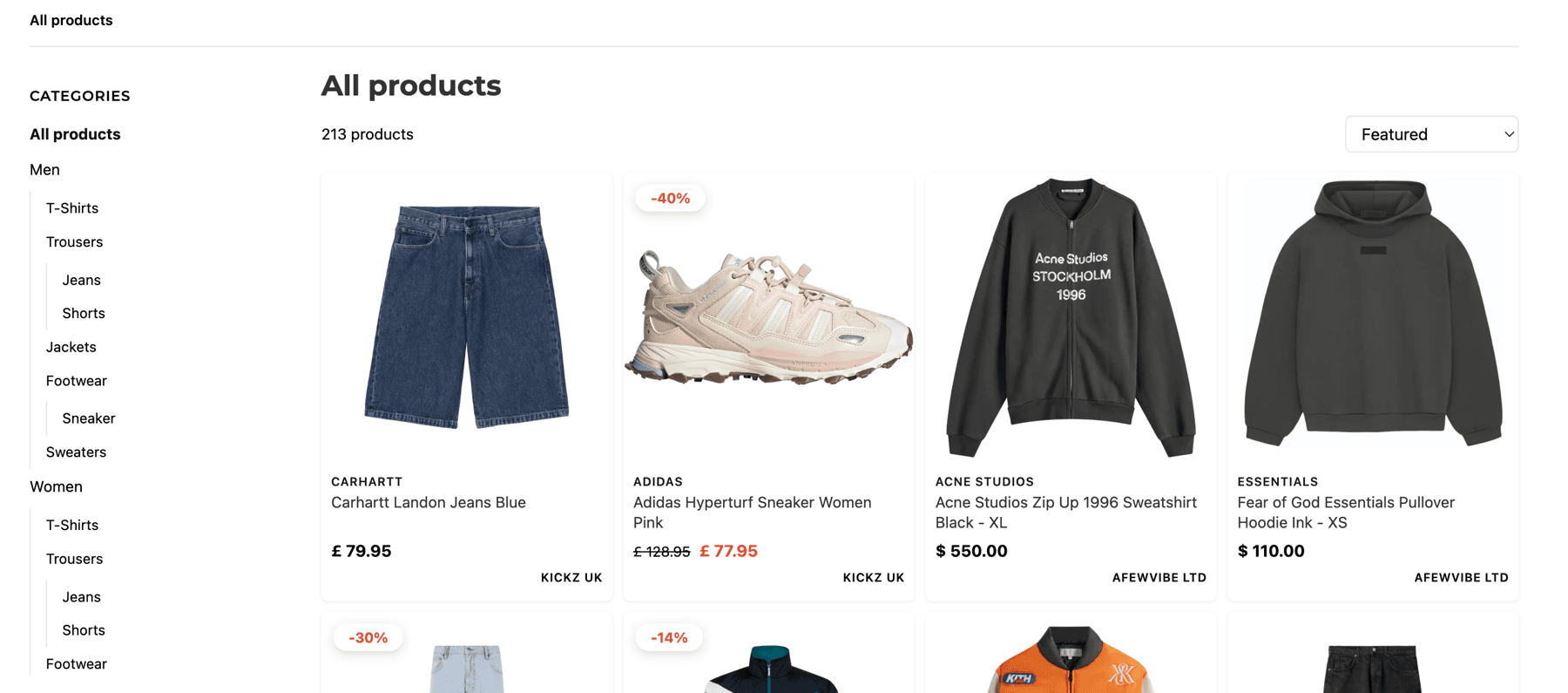
Visitors see your real online shop with categories, filters and sorting. The controls they already know from any modern shop, all on your domain. Every checkout goes through your affiliate link.
You already write about products you love. Business turns those posts into a browsable shop on your WordPress site: categories, filters, search, full Google ranking. Your readers shop like they would at any retailer.
Visitors see your real online shop with categories, filters and sorting. The controls they already know from any modern shop, all on your domain. Every checkout goes through your affiliate link.
You keep publishing the posts your readers come for. Alongside them, a real shop on the same site, built from the products you've already curated. The demos below are live; play with each tool right here on the page.
Visitors land in a proper storefront. The same WordPress site you already publish from, indexed by Google with the same authority as any retailer.
Colours, typography, layout, filter position. Every visible choice is yours, edited with a live preview alongside. The storefront looks like a continuation of your writing, not a bolted-on plugin.
Build the category tree your readers will use. Curate which products belong in each one, then let the storefront handle the counts, breadcrumbs and category hero banners.
Structured data, breadcrumbs and product schemas generated for every storefront page, so Google understands what you sell as well as it does for the big retailers.
Storefront pages and categories ship in their own sitemap, auto-generated and auto-updated. Submit once, ranking happens on its own.
While you place a product into a blog post, a single toggle adds the same product to your shop. The storefront keeps pace with your editorial rhythm, without a separate workflow to maintain.
Out-of-stock and discontinued items age out automatically after a grace period you set. Your shop stays clean without manual housekeeping.
Click tracking, network conversion sync, dead-product alerts and brand-level revenue all sit in one dashboard, so the math stops living in a spreadsheet.
Drop a shop category into any blog post and pick how many products to show. The dynamic block stays current on its own — sold-out items drop out, new top-sellers slot in. Sort by most popular, biggest discount, or newest.
Your taste, your structure, your tree. Reshuffle whenever the season turns, drill into any branch as deep as it deserves, and curate products into each category the way you'd assemble an editorial. Smart keyword search behind the scenes; you stay the editor.
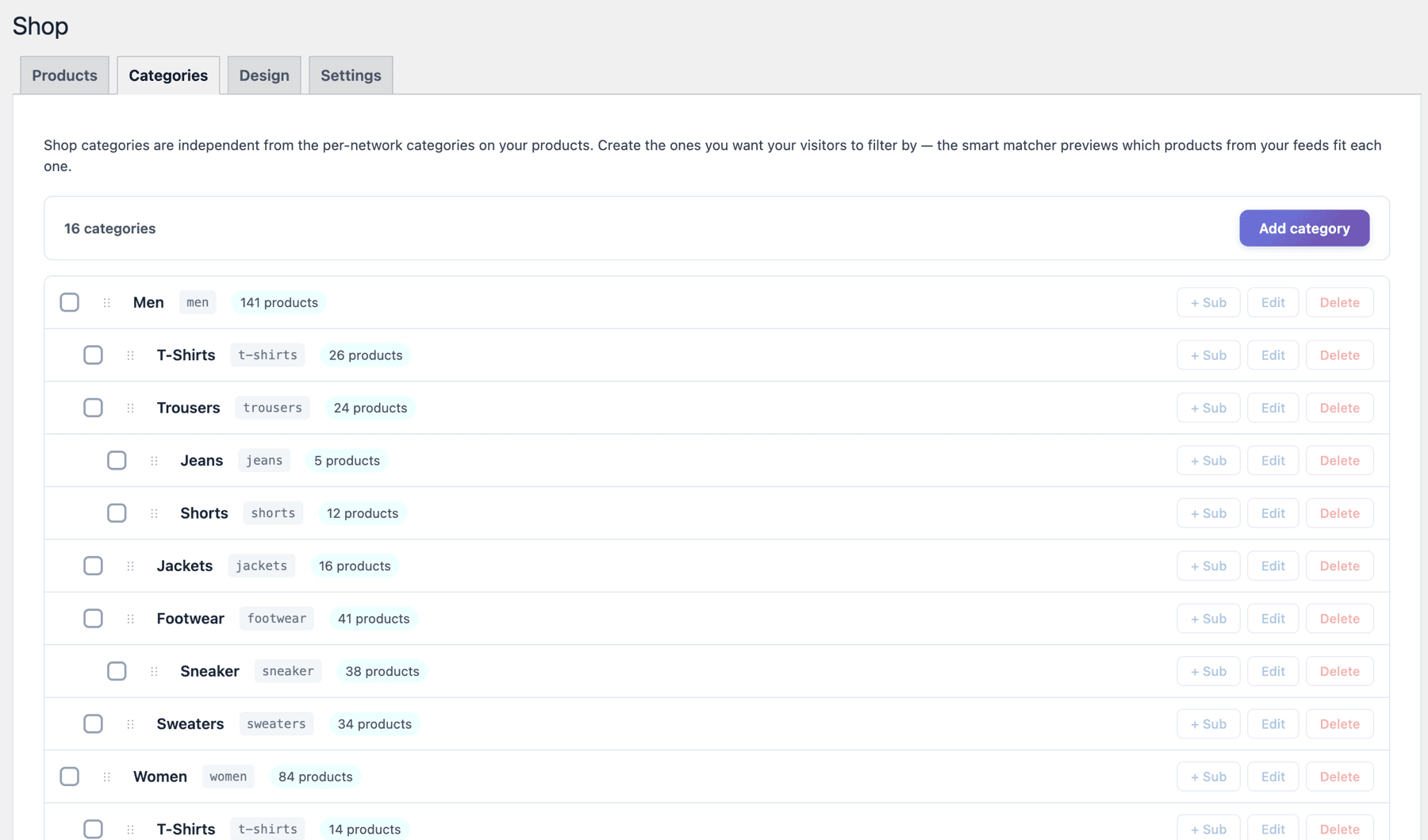
One slice of the editor. Every category opens into its own world of detail behind the scenes.
Drag the sliders on the left. Watch the storefront shift. This is the same surface you'd use inside WordPress, trimmed down enough to fit on the page.
Simplified visualisation — the live plugin offers more controls and may differ in detail from what you see here.
A storefront that wears your brand. Tune the mood until it feels like a continuation of your writing. A phone, tablet and laptop preview moves with you, so what you ship is exactly what your reader meets.
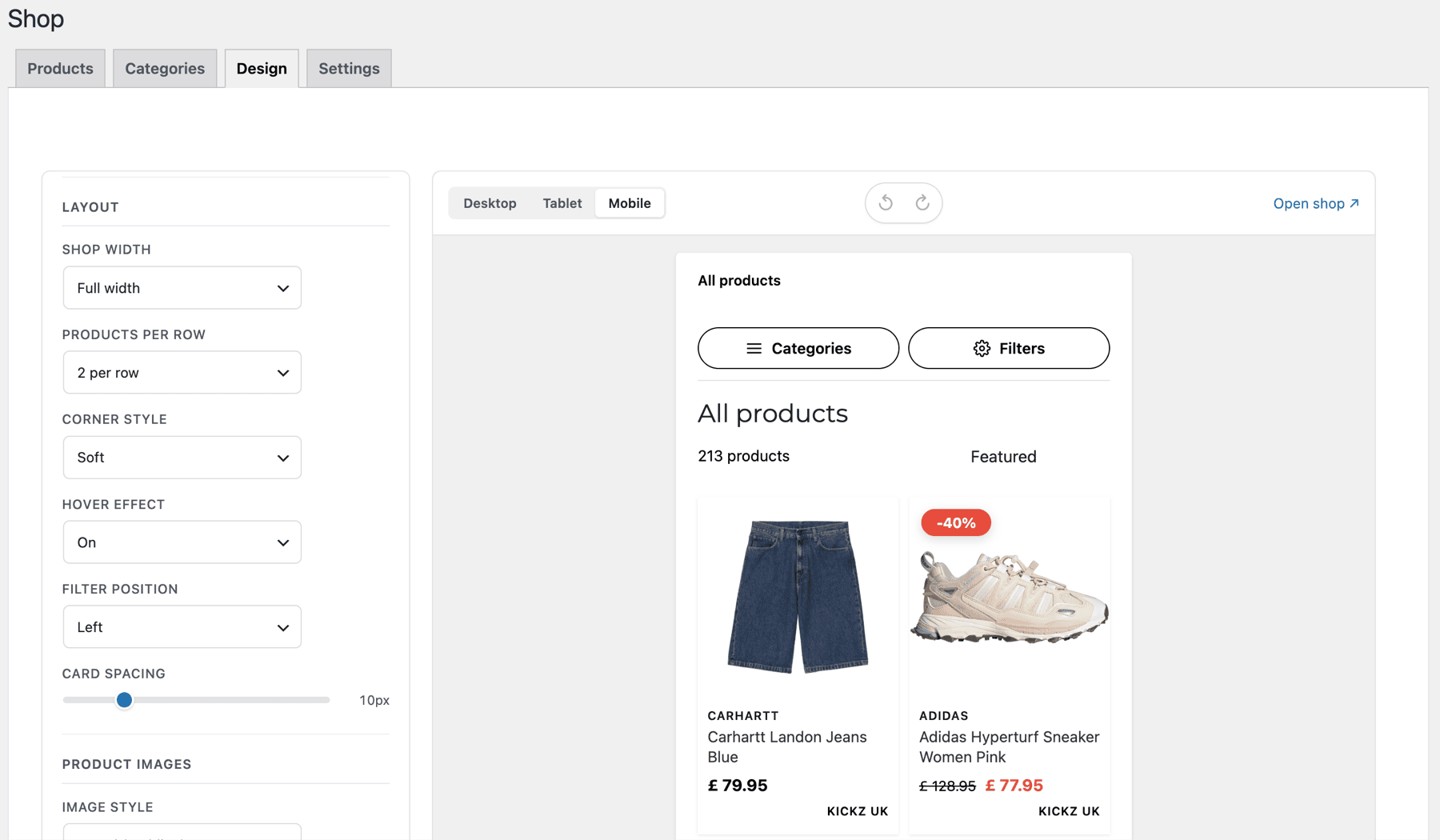
A taste of the controls. The live editor opens a lot more than this screen lets on.
Which posts actually earn. Which products sell, and which just collect clicks. What brand is quietly making the most money. The numbers below are samples; your real dashboard pulls them from your own clicks and conversions.
Simplified visualisation with sample numbers — the live dashboard runs on your real data and may differ in detail from what you see here.
The shop-specific bits before you start the trial.
A real shop page on your domain. Your products show up in a categorised, filterable, searchable layout — sorting by price, by popularity, by sale. Visitors browse the way they would on any retailer's site, but every checkout goes through your affiliate link.
The smart category mapper suggests products based on keywords, brand and feed source. You confirm the matches, refine the rules, and from there new feed imports drop into the right categories on their own.
Every category page gets structured data (CollectionPage, BreadcrumbList, ItemList with Product offers), a clean canonical URL, your own title and meta description templates with per-category overrides, and a sitemap that hands the storefront to Google like a real shop.
No. The shop lives on its own URL (you pick the slug). Your blog posts stay untouched. The product picker that powers your posts in the editor is the same one that fills the shop — one catalogue, two surfaces.
The shop design editor exposes colours, typography, tile density, hover behaviour, badge placement, sidebar position, pagination mode (pages, load-more, infinite scroll). Live preview, no code.
Anything your affiliate networks expose in their feeds — fashion, tech, home, beauty, garden, hobbies. The plugin doesn't care about the niche. If your network gives you a feed URL, you can stand up a shop.
14 days, full access to the shop, design editor, SEO engine, smart categories. Cancel inside the dashboard whenever. Your existing free-plan setup and the posts you've built stay intact.
The Business storefront stops being publicly accessible. Your products, your feed, your posts and the free-plan picker keep working. Re-subscribing brings the shop back the way you left it.
Try Business for 14 days. Cancel from your dashboard whenever you like. If it doesn't fit, you still keep the free plugin and the posts you've built with it.
Start 14-Day Free Trial