Guides · Affiliate shops
Affiliate shop on WordPress: do you need one?
An affiliate shop is a page on your blog where readers browse the products you recommend and buy them at the shops you link to. You need one when readers come to browse, and you can start small: 50 products you already write about, with or without WooCommerce.
12 minute readFor affiliates, not for running your own programmeSources at the end
The short answer
In case that is all you came for.
Yes, if readers come to you to browse: for ideas, for what is new, for everything you recommend in one place.
If they arrive at one post, read it and click, product cards inside that post do the job with far less work.
In short
- You can start with 50 products. The ones you already recommend, in a few categories.
- You do not need WooCommerce. It is one of four ways, compared in part 3.
- Filling the shop is the smaller job. Prices, stock and links have to stay right for as long as the page is up.
- Affiliate links do not make a site spam. Google's spam policies name pages that copy a shop's descriptions and add nothing of their own.
Part 1 of 9
What is an affiliate shop, and what is it not?
It looks like a shop. The selling happens somewhere else.
To a reader it looks like any online shop: categories, a search box, filters, products with picture and price. The difference is the last step. A click on a product opens the shop that sells it, through your affiliate link.

Who does what
- Your readerbrowses your shop page and clicks a product.
- The shop you link totakes the payment, sends the parcel and deals with returns.
- Youare paid a commission on the sale.
Two things share this name. An “affiliate store” can also mean a shop that pays other people a commission for selling its products. That takes different software. In this guide, you recommend and another shop sells.
Part 2 of 9
Do you need a shop at all?
Five questions and a rule of thumb.
People open a post to read it. They open a shop page to look around. So the test is whether your readers would come to browse.
A shop fits
A follower taps the link in your profile, opens a category and finds everything you would pick.
Cards in your posts are enough
If readers arrive at a handful of posts, read and click, show the products inside those posts. The feed guide shows how. Add a shop the day readers ask where to find everything.
Does a shop earn more than posts?
We found no independent comparison of the two. The figures in circulation come from companies that sell shop software, so start small and let your own readers decide.
Part 3 of 9
Do you need WooCommerce? It is one of four ways.
WooCommerce can list products that another shop sells. Three other ways do without it.
| The way | Best for | What it costs | Who keeps prices right | Where it stops |
|---|---|---|---|---|
| Product cards in posts, no shop | Readers who arrive at single posts | Nothing by hand, or a plugin for cards | You, or a card plugin that reads the shop's feed again | Nothing to browse |
| A shop page plugin such as Shop Page WP | A few dozen hand-picked products, with any affiliate link, Amazon included | Free on WordPress.org | Nobody has to: it has no price field. The links are yours to check | Every product is added by hand |
| WooCommerce with external products | Sites that already run WooCommerce, or want its themes and add-ons | WooCommerce is free. A paid service that fills and updates it, such as Datafeedr, lists $49 to $249 a month | You, each time you run its importer again. A paid service, on a schedule | A cart and a checkout you will not use, and a page for each product to look after (part 5) |
| A shop built from the shops' feeds MyFeeds Shop plan, our own plugin | Hundreds of products from shops that share a product feed | $39 a month after a 14-day free trial, less with a yearly plan | The plugin, every night, for feeds that came as a link. An uploaded file stays as it was | Needs each shop's product feed, so no Amazon products on the shop page. A click opens the shop: your site has no page for each product. Sizes are not among its filters. You sort products into categories yourself |
Prices as each provider listed them in October 2026.
If you take the WooCommerce way
WooCommerce has a product type for this, called External/Affiliate product. Its button leads to the shop that sells the product.
The importer under Products, All Products, Import creates such products from a CSV file. Run it again with Update existing products ticked and it overwrites the rows it finds by ID or SKU, so give every product an SKU.
Check any plugin before you build on it. Its WordPress.org page shows when it was last updated and whether support questions get answers.
Part 4 of 9
How do 400 products get in without typing them?
From the shops' own product lists, in four steps.
A shop you're an affiliate for keeps a list of everything it sells: name, price, picture, stock and your affiliate link for each product. That is its product feed, and your affiliate network passes it on as a link or a file. Not every shop offers one.
-
Get each shop's product feed
Take the link if there is one. A link can be read again later, and a file stays as it was. The feed guide shows where each network keeps it.
-
Give it to the tool from part 3
A feed plugin takes the link or the file. WooCommerce's importer takes a CSV file in which
Typesaysexternal,External URLholds your affiliate link andButton textthe words on the button.A feed plugin's import only fills a list to choose from. Nothing shows until you put products on a page.
-
Name your categories
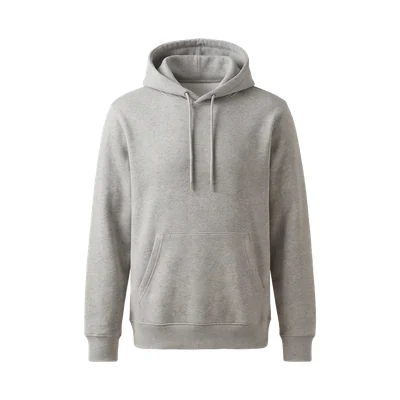
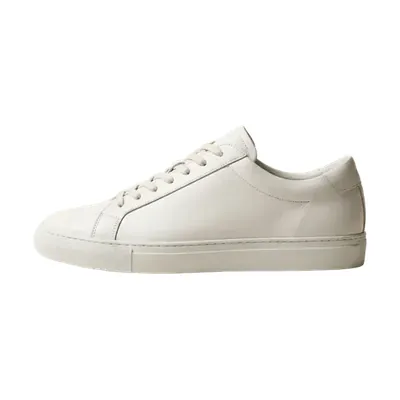
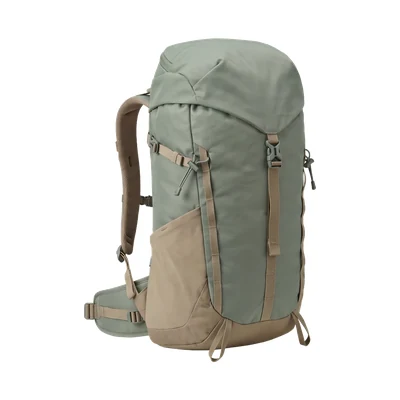
Use the words a reader would look for. Clothing in this example: Jackets, Shoes, Bags. A garden blog would say Tools, Seeds, Pots.
-
Choose what goes in
A feed holds the shop's whole range. Start with the products your posts already link to, then add only what you would recommend.
Amazon is the exception. It hands out a product feed only with written approval. Its product data comes through the Creators API, open to associates with ten qualifying sales in the past 30 days (as of October 2026).
Part 5 of 9
Will Google punish a shop built from a feed? That depends on what you add.
Google's spam policies, last updated in August 2026, name two things a feed makes easy.
- Thin affiliation. Pages with affiliate links where descriptions and reviews are copied from the shop and nothing of your own is added.
- Scaled content abuse. Many pages made mainly to rank. One of Google's examples: pages generated from feeds in bulk, with little on them for the reader.
The same page says that not every site in an affiliate programme is thin.
What a good affiliate site adds
- Its own product reviews.
- Testing and ratings.
- Product comparisons.
- Extra information about prices.
- A way to browse products or categories.
A shop that helps readers browse by category is on that list. A thousand pages that each repeat one row of a feed are what the two policies describe.
After Google's spam update of August 2026, the consultant Glenn Gabe described an Amazon affiliate site built entirely from Amazon's product data. By his count, it lost its place for more than 14,000 search terms.
What belongs in Google's index?
Our suggestion, by kind of page. Where Google has advice of its own, the row says so.
| Kind of page | What we would do |
|---|---|
| Shop front, categories and hand-picked collections | Index. Add a few sentences of your own: what is in here, how you chose it. |
| Page 2 and onward of a category | Leave open. Google's advice: each page keeps its own address and is not pointed back at page 1. |
| Filtered, sorted and search views | Keep out. The same products in endless combinations. Google names two ways: a noindex tag, or a robots.txt rule. |
| One page for each product, with the shop's description | Noindex, or go without. This is the page the thin affiliation wording describes. |
One way for each page, not both. A noindex tag belongs in the head of the page, and Google reads it only if it may crawl that page. Block the page in robots.txt and the tag is never seen.
Nobody can promise how Google rates a single page. What you control is whether your category page says something the shop's own page does not.
Part 6 of 9
Who keeps the prices right after launch?
A page with prices can be wrong in a way a text link cannot.
The shops you link to change prices, sell out and add products all the time. AWIN, one of the large networks, says its shops often update their feeds several times a day.
Your page only follows if the feed is read again: by you, each time you repeat an import, or by a tool on a schedule. The table in part 3 says which.
Six months of a shop page nobody updates
- Week 1A shop starts a sale. Your page shows last week's price.
- Month 1A product sells out. Your page still offers it.
- Month 3The new season is in the shops. Your page shows the old one.
- Month 6A shop ends its affiliate programme. Its links earn nothing.
What to recommend is your judgement. Whether today's price is right should not be your job.
WordPress looks for due tasks only when somebody loads a page, so on a quiet site a nightly update can run late. If that matters, ask your host for a server cron job, which runs them on a timer.
What a dead link costs, and how to find one: why affiliate posts stop earning.
Part 7 of 9
Are you allowed to show other shops' products?
Yes, with four things in place. As of October 2026.
| The rule | What to do |
|---|---|
| Say that you earn a commission | The US Federal Trade Commission wants that clear and close to the recommendation. “Affiliate link” alone, or a “buy now” button, does not do it. Our reading for a shop page: a sentence above the products, such as “I earn a commission when you buy through the links on this page.” |
| Add Amazon's sentence | If you link to Amazon, its operating agreement asks for this, clearly and prominently: “As an Amazon Associate I earn from qualifying purchases.” |
| Mark affiliate links as paid | Google prefers rel="sponsored" and accepts rel="nofollow". To see what your plugin sets, right-click a product link on a computer and choose Inspect. |
| Use pictures and prices as the programme allows | Amazon: prices only through its API or in a link Amazon serves. Pictures through the API, never saved on your server. Other shops: each programme's terms decide. We could not confirm one rule that covers them all. |
Outside the US, check your own regulator.
Part 8 of 9
How do you start, and how do you know it works?
With 50 products and four weeks.
-
Week 1: choose 50 products
Take the ones you already recommend and sort them into three to five categories. Write two or three sentences of your own for each category.
-
Week 2: publish and link it
Put the shop page in your menu and the commission sentence above the products. Link to it from your most-read posts.
-
Week 3: send readers there
One email, a few pins, the link in your profile. Do not wait for search to find the page.
-
Week 4: read three numbers
Visits to the shop page, from your analytics. Clicks and commission for each shop, from your affiliate network. And in Search Console, whether your category pages are indexed or wait under Crawled - currently not indexed.
Your network counts posts and shop page together, so compare with the month before.
| Visits to the shop page | 600 |
|---|---|
| Clicks at your shops more than the month before | 90 |
| Commission more than the month before | $18.00 |
| Commission for each extra click | $0.20 |
An example, not a measurement. Put in your own numbers.
Then decide
If readers visit, click and come back, add the next 50. If almost nobody visits, your readers prefer posts. Keep the shop small and put your effort there.
Part 9 of 9
Which route is yours?
Go by how your readers arrive and how many products you carry.
Stay with cards in posts
Show the products where people already read.
A shop page plugin
Free and quick. You check the links yourself.
External products
Import by CSV and repeat it, or pay a service to do it.
A shop built from feeds
The updating runs on a schedule. You still choose what goes in.
The free routes cost you time every month, the paid ones money.
With our own plugin, for example
MyFeeds is the plugin we make, and its Shop plan is the fourth route. You name the categories and choose the products. Every night it reads the shops' feed links again and updates price, old price, stock, picture and link for the products in your shop.
A product that sells out is hidden until it is back, unless you switch that off. A product the shop has dropped is noticed by a weekly run and then leaves your shop page. Both runs follow WordPress's own schedule. The limits are in the table in part 3.
Questions people ask
From comments under shop tutorials and WordPress support forums.
Can readers buy without leaving my site?
No. The purchase happens at the shop you link to, and the click that takes the reader there is what credits the sale to you.
Can I copy product pictures and prices from Amazon?
No. Amazon's policies hand you its pictures through its API only, and forbid saving them on your server. Prices need the API or a link that Amazon serves, so a price you type yourself is out.
And two shorter ones
How many products can I import?
None of the sources we read names a fixed limit. Your hosting sets one, and long before that, the number of products you can honestly vouch for.
Can one page mix products from several shops and networks?
Yes. Every product keeps its own affiliate link, so each sale is credited through the right network.
Sources (15)
- Spam policies for Google web search, Google Last updated 28 August 2026. Thin affiliation, scaled content abuse, what good affiliate sites add.
- Block Search indexing with noindex, Google Last updated 10 December 2025. The meta tag, and why robots.txt must not block the page.
- Pagination, incremental page loading, and their impact on Google Search, Google Last updated 10 December 2025. Page 2 and onward, filtered and sorted views.
- Qualify your outbound links to Google, Google Last updated 10 December 2025. Sponsored is preferred, nofollow still accepted.
- Page indexing report, Google Search Console help What “Crawled - currently not indexed” means.
- Google's August 2026 spam update: case studies, Glenn Gabe, G-Squared Interactive 31 August 2026. One consultant's reading of sites he tracks, not a statement by Google.
- FTC's Endorsement Guides: what people are asking, US Federal Trade Commission Disclosing affiliate links.
- Associates Program operating agreement, Amazon Updated 15 October 2025. The sentence in section 5.
- Associates Program policies, Amazon Updated 14 April 2026. Prices, pictures, data feeds.
- Creators API, introduction, Amazon Associates The ten qualifying sales.
- Product CSV importer and exporter, WooCommerce documentation External products, the three columns, updating existing products.
- Shop Page WP, WordPress.org plugin page What a product holds, as shown in October 2026.
- Datafeedr, the provider's own site Its plans, as listed in October 2026.
- Product data feeds: troubleshooting and FAQs, Awin How often shops update their feeds.
- Cron, WordPress plugin handbook When scheduled tasks run.
Where to go next
Pick your next step.
Start smaller if you like: product cards in one post.
Free on WordPress.org for one shop's feed. Paid plans each start with a free trial.
Set on the shop? See the Shop plan.