Guides · Old posts
Why old affiliate posts stop earning.
The readers still come, so the post can earn again. What changed is what happens after they click, and you can find it in an afternoon.
12 minute readNo tool neededSources at the end
The short version
An old post that still gets readers has done the hard part. If it earns less than it did, look behind its links.
In short
- A post with readers can earn again. The repair is in the links. The writing stays.
- Three numbers say where to look. Visits, clicks on your links, commission.
- Open your links the way a reader would. A sold-out product, a new price or a closed programme need not show any error.
- Replace before you delete. A successor or an alternative keeps the page and its readers.
- Start with your ten most-clicked posts. Plan about 90 minutes.
Part 1 of 9
Why does a post earn less when the readers still come?
Three numbers answer it. Read them for one post before you change anything.
“Earning less” can mean fewer readers, fewer clicks, or clicks that no longer pay. Each needs a different repair.
Compare the last three months with the same three months a year ago, so the season matches:
- Visits, from your analytics.
- Clicks on your affiliate links, from your network's reports or a tool that counts outgoing clicks.
- Commission, from the network.
| What you see | What it means, and what to do next |
|---|---|
| Visits are down | Fewer readers arrive. That is about ranking or reach, a different repair from this one. |
| Visits hold, clicks are down | Readers arrive and do not click. Open the post as a visitor: an empty product box or an outdated pick gives them nothing to click. |
| Clicks hold, commission is near zero | The click ends somewhere that does not pay. Follow each link to its last address, as in part 3. |
“A friend bought through my Amazon link and I got no commission. Is my link broken?”
Probably not. On Pinterest's business forum, where this was asked, another member named two likely reasons: the order had not shipped yet, and the buyer was someone the poster knows.
Amazon's policies speak to both: a commission needs an order that has shipped and been paid for, and you may not ask or encourage friends or relatives to buy through your links.
Give an order a few days to ship before you repair anything.
Part 2 of 9
What can go wrong behind a link?
Six things, and only some of them ever show an error.
Pages vanish all over the web. The Pew Research Center found in 2024 that 38% of the web pages that existed in 2013 could no longer be reached ten years later. That is the whole web. We know of no neutral count for affiliate links.
Old posts keep finding new readers all the same. Pinterest's help says a pin has no set engagement window and can gain engagement months or even years after it is first published. More in affiliate links on Pinterest.
Each link in such a post passes through three places, and only the first is yours.
The path of a click
- Your postholds the link, and the price you typed beside it.
- The affiliate networkrecords the click, while the shop's programme is open.
- The shopshows the product, while it is there and in stock.
Swipe the table sideways to see all four columns.
| What happened | Your reader sees | You see | A link checker finds it? |
|---|---|---|---|
| Sold out or gone | A page that says unavailable. | Clicks hold, sales fall. | No. The page loads. |
| The price moved | A number that differs from your post. | Clicks hold, sales fall. | No. It does not read prices. |
| The shop moved the page | An error, a category or the shop's home page. | Clicks hold, sales fall. | Only the error. A home page counts as healthy. |
| The shop closed or paused its programme | A broken link, or a page that says “inactive”. | Commission from that shop stops. | Not reliably. An “inactive” page still loads. |
| The shop changed network | The shop as before. Later sometimes a dead link. | Old links may no longer be credited to you. | No. |
| A plugin lost Amazon's product data | An empty box, or “no products found”. | Clicks drop in every post with such a box. | No. No link is left to check. |
A link that still opens is no proof that it still pays.
The first three look the same in your numbers. Only opening the link tells them apart.
What a closed programme looks like depends on the network. At Commission Factory the links break automatically, and pending commissions are still paid. At Awin, when the links of a former ShareASale shop go offline, a click lands on a fallback page you chose, or on one that reads “This link is inactive”. Both as of October 2026.
Part 3 of 9
How do you find the posts that leak?
Ten posts, a private browser window and a spreadsheet. Plan about 90 minutes, and do it by hand once: you see what your readers have been seeing.
-
Pick ten posts by clicks
Sort by clicks on your affiliate links, not by visits: a dead link costs most where readers click most. Without click numbers, take the posts that used to earn most.
-
Open each link in a private window
It carries none of your logins or cookies, so you see what a first-time visitor sees.
-
Read the last address
Wait until the page has stopped redirecting. The address bar should show the shop's own domain and the page for that one product.
Last addresses that mean trouble
- The shop's home page, a category, a search page or an error page.
- A page that says the link is inactive. On Awin, an address with
closedMerchant.htmlmeans the shop's links are offline.
-
Read the page
Is it the product you wrote about? Can it be bought? Does the price match your post?
Only look. Amazon, for one, does not allow orders through your own links.
-
Check the programme
In your network account, see whether you are still joined to the shop's programme.
-
Write it down
One row for each link. If more than a few no longer earn, give the next ten posts the same check.
Swipe the table sideways to see all five columns.
| Post | Link | Last address | Finding | Decision |
|---|---|---|---|---|
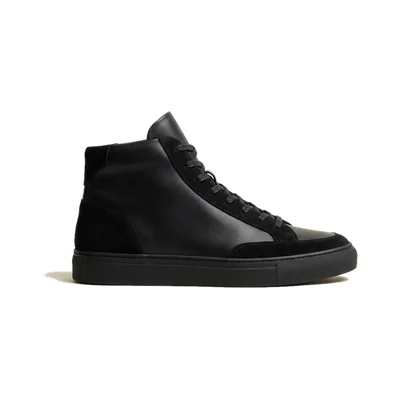
| My fall uniform | Court Low-Top, Kicks Corner | The sneaker's page | Post says $110, shop says $88. | Remove the number, or date it. |
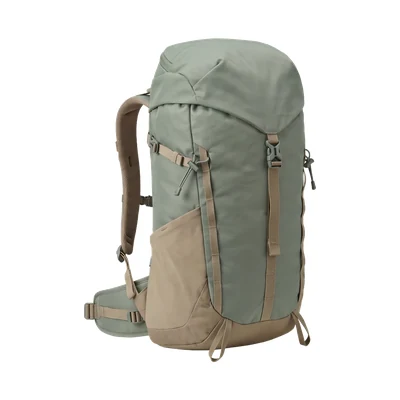
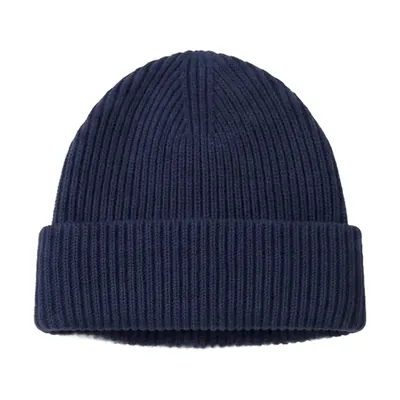
| My fall uniform | Merino Beanie, Basecamp Outfitters | The shop's home page | The shop moved the page. | Link the new page. |
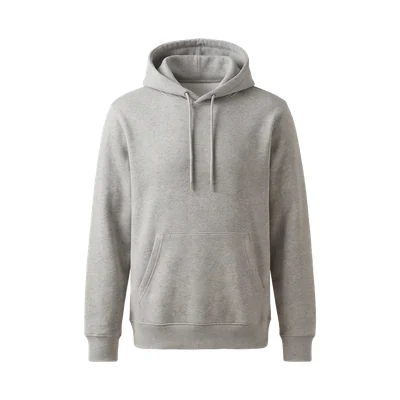
| Packing for a weekend | Heavyweight Hoodie, Northside Supply | “This link is inactive” | The shop's links are offline. | Another shop, or an alternative. |
An invented example. Copy the five columns into your own spreadsheet.
Part 4 of 9
Why did my link checker find nothing? It looks for missing pages.
A checker asks one thing of every link: does this address return a page? A sold-out product and a new price sit on pages that do. So can a closed programme.
Redirects that fall home
If your links run through a short address on your own site, such as yourblog.com/go/shoes, a broken redirect can send every click to your home page.
One blogger's checker passed such links, because a home page loads.
Working links, reported broken
In the support forum of one checker plugin, staff explain that some services treat its requests as bot traffic and turn them away, Amazon among them.
One user there counted 40 to 60 false reports a week.
A checker is still worth running for real errors. Treat its report as a list of hints.
Part 5 of 9
What do you do with each find?
Five questions, in this order. The first “no” tells you what to do. The post itself stays: it still has readers, and they came for a recommendation.
-
Is the shop's programme still open to you?
No: the link earns nothing, wherever it lands. Link the product at another shop you're an affiliate for, or take the link out.
-
Is the product still sold?
No: look for its successor. On Amazon a new edition gets a new product number, the ASIN, so the old link does not follow it.
Without a successor, recommend the closest alternative and say why. If it is lighter or costs more, say that too.
-
Does your link land on it?
No: the shop moved the page. Get a fresh link to the product from your network.
-
Can it be bought today?
No, but it will be back: keep the link, add a dated note and name an alternative.
-
Is the price in your post still right?
No: take the number out, or say when you checked it. “See today's price at the shop” stays true whatever the shop does.
To copy: sold out, back soon
Sold out when I checked on DATE. The closest I would buy instead: PRODUCT.
To copy: a price you keep
PRICE when I checked on DATE. See today's price at the shop.
Not for Amazon products. Amazon's programme policies, as of April 2026, let your site show prices and availability only when Amazon supplies them, with the link or through its product API. For an Amazon product, type neither and name the alternative.
Part 6 of 9
Does a dead link hurt your ranking?
We found no statement from Google that it does. This is what is confirmed, what is opinion and what is open.
Confirmed
- Affiliate pages that only copy the shop's descriptions and reviews fall under “thin affiliation” in the spam policies.
- Changing a page's date so it seems fresh, when the content has not substantially changed, is a warning sign in the guide to helpful content.
Opinion
Keep a post that has readers and repair it. For a product that is gone, forums advise swapping in a similar one.
Nobody has measured it.
Open
Whether dead outgoing links lower a ranking. The spam policies do not mention them.
How much commission dead links cost. The figures in circulation come from sellers of link tools.
So the damage you can count on is lost commission and a reader's trust. And the thing to avoid is a new date on a post where nothing else is new.
Part 7 of 9
Why does it keep coming back? Your post holds a copy.
Whatever you repair goes out of date again, because the product in your post is a copy from the day you wrote it. The other way is to show it from the shop's own list, its product feed, and read that list again.
Style notes
My fall uniform
Things I reach for most mornings:
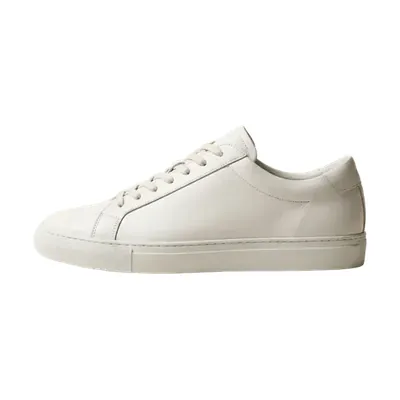
- Court Low-Top Leather White, $110The shop now asks $88.
- Ribbed Merino Beanie Navy, $28This link now opens the shop's home page.
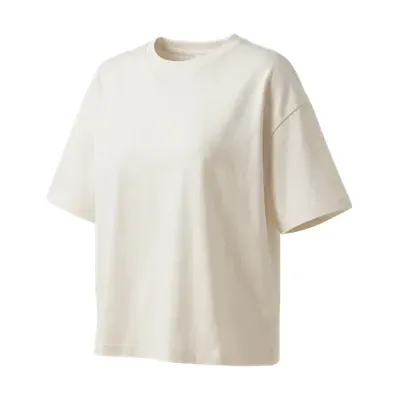
- Boxy Heavy Tee Off-White, $32Still right.
Style notes
My fall uniform
Things I reach for most mornings:
Part 8 of 9
How do you stop doing this by hand?
Four kinds of help. Each solves one part and is blind to another.
A link manager
- One edit changes a link in every post that uses it.
- Does not by itself notice that a link stopped earning.
A link checker
- Finds pages that return an error.
- Blind to stock and price, and to an “inactive” page that loads.
Your network's messages
- Can tell you that a programme is closing or moving before a reader does.
- Easy to miss, and silent on one product's stock or price.
A product feed
- Price, stock, picture and link come from the shop's own list.
- Only for shops that share a feed. Amazon does not.
What a feed is and where your network keeps it: the product feed guide.
When you need none of this. A handful of product posts and one or two shops you know well: then the check from part 3, once a quarter, is enough.
How our own plugin handles it
MyFeeds, the plugin we make, works the fourth way. You pick products from a shop's feed in the WordPress block editor, and your post shows them as cards built from that list.
Every night it reads the feed link again and updates price, old price, stock, picture and link for the products in your published posts. Once a week it reads each whole feed. Only then does it notice a product that has left the feed, and it leaves that card out from then on.
The paid plugin also tests a few links from each feed once a day and leaves out the cards of a shop whose programme has closed, so far confirmed on AWIN only. The Pro plan adds a list of the posts that lost a product.
Where it stops
- Whether you would still recommend the product stays your decision.
- A caching plugin can show an old price until its saved copy of the page is renewed.
- A feed uploaded as a file is not read again, and Amazon links are not covered.
- Sold out: the paid plugin leaves the card out until it is back, the free plugin keeps showing it.
Part 9 of 9
How often should you check?
One date in the calendar each quarter, and three triggers in between.
Nobody has measured the right interval. The advice in circulation comes from makers of link tools: at least quarterly (Lasso), or monthly for link checks (Geniuslink). Pick one you will keep.
Do not wait for the date when
- Your network writes that a programme is closing or moving.
- A shop relaunches its site.
- A reader tells you a link is wrong. Check the rest of that post the same day.
The last line is the one no tool can tick. It is why readers trust your picks.
What you should never have to do is hear it from a reader.
Questions people ask
From affiliate forums and WordPress support threads.
How do you check for broken Amazon affiliate links?
By opening each one in a private window and reading where it ends, as in part 3.
A general link checker is unreliable with Amazon: it can report working links as broken, as part 4 shows.
Can too many dead Amazon links get my account closed?
We found no rule that says so. In the forum threads where the claim appears it is hearsay, and other members doubt it.
What Amazon's policies do ask, as of April 2026, is that you promptly remove Amazon content that Amazon itself no longer displays.
And two shorter ones
Do affiliate links expire?
The link itself usually does not. What ends is what stands behind it: the product, the shop's programme, or your place in it. When ShareASale moved to Awin, short links without a click in the twelve months before stopped tracking.
My Amazon product boxes all say “no products found”. What happened?
Most likely the plugin behind them lost its connection to Amazon's product data. In one WordPress.org support thread that hit 132 of 133 pages, and the plugin's author pointed to missing access keys. Check the plugin's Amazon settings before you edit a post.
Sources (21)
- When online content disappears Pew Research Center, 17 May 2024. The 38%, from a sample of pages across the whole web.
- Pin performance and distribution Pinterest Business help. No set engagement window for a pin.
- Amazon affiliate links not working Pinterest Business Community, September 2026. The reader's question in part 1, reworded.
- Associates Program Policies Amazon, updated 14 April 2026. When a commission is earned, purchases by friends, prices and availability, removing content.
- Why is an item I previously linked to no longer appearing at Amazon? Amazon Associates help. New editions and their ASINs.
- What should I do when an advertiser I'm promoting closes their program? Commission Factory. Links break, pending commissions are paid.
- Link status: troubleshooting inactive links Awin, November 2025. Fallback pages, “This link is inactive”, closedMerchant.html.
- ShareASale to Awin platform upgrade FAQ Awin, September 2026. Which links kept tracking.
- Barnes & Noble affiliate program update Penguin Random House, January 2016. A shop changes network: old links stop tracking, then become invalid.
- False positives WordPress.org support forum of the plugin Broken Link Checker. Why working links are reported, and the 40 to 60 a week.
- Constantly reporting Amazon affiliate links broken the same forum. Amazon turning the requests away.
- How to find and fix broken links in WordPress WPBeginner. A reader's comment of 18 December 2016 on redirect links.
- Auto Amazon Links Pro not working WordPress.org support forum. The 132 of 133 pages.
- Spam policies for Google web search Google, last updated 28 August 2026. Thin affiliation.
- Creating helpful, reliable, people-first content Google, last updated 5 October 2026. The question about changed dates.
- How do you check for broken Amazon affiliate links? Warrior Forum. The first question in the list above.
- How to monitor or avoid Amazon invalid link? Warrior Forum. The account rumour, and members who doubt it.
- Why would Amazon product oneboxes turn into 404s? Discourse Meta, April 2020. The same rumour, unconfirmed.
- Amazon product (currently unavailable) Warrior Forum. The advice to swap in a similar product or another shop.
- Content freshness: why it matters for affiliate marketing Lasso, a maker of link tools, 4 August 2026. “At least quarterly”.
- The affiliate marketing checklist Geniuslink, a maker of link tools, 17 September 2026. Monthly, quarterly, twice a year.
Where to go next
Pick your next step.
Rebuild one old post with product cards.
Free on WordPress.org for one shop's feed. Paid plans each start with a free trial.
Want to see the plans first? Compare the plans.