Guides · Pinterest
Affiliate links on Pinterest: what's allowed in 2026.
Yes: Pinterest allows affiliate links on a pin, under a few conditions, and you can also pin to a post of your own that holds them. Your commission comes from the shop or its affiliate programme when a reader buys, not from Pinterest.
12 minute readEvery rule with its sourceAs of October 2026
Are affiliate links allowed on Pinterest?
The short answer, and where to start.
Yes. Pinterest's own guidelines open by saying that affiliate links help creators get paid for their work. Pinterest is not part of the affiliate agreement, so you need a link from a shop's affiliate programme or an affiliate network, whether you blog or only pin.
You can start with the account you have, once it is a business account: Pinterest's terms of service ask for one as soon as you use Pinterest commercially. Switching is free and keeps your pins and followers. Then it takes three steps.
In short
- Affiliate links are allowed. Pinterest asks for one real account, original pins, open disclosure, and affiliate pins in moderation.
- You earn when a reader buys. The shop's affiliate programme pays the commission.
- “#affiliate” alone is not enough. One short sentence at the start does the job.
- Amazon links bring Amazon's rules. They cover its pictures, prices and short links. Amazon's public terms do not name Pinterest.
Part 1 of 6
What does Pinterest ask of affiliates?
Its conditions fit on one page.
You want to recommend things on Pinterest and be paid when someone buys, without waking up to a blocked account. The rules for that are shorter than the forum threads about them.
They sit in one section of Pinterest's commercial and branded content guidelines, the affiliate guidelines, last updated in April 2025. The six checks below are in our words.
Break them, and Pinterest may remove the content, limit how widely it is shown, or block the account.
Where the link goes
Straight into the pin's link field, Pinterest's team has said. It asks you to link to the product itself, not to a collection of items, and to keep redirects few (a redirect is a link that passes through another address first).
That advice is about an affiliate link on the pin. Pins to your own post are part 4.
Part 2 of 6
How do you disclose an affiliate link on Pinterest?
Tell readers at the start, in plain words, that you earn when they buy. A hashtag at the end is likely to be missed.
| Who asks | What they ask |
|---|---|
| A clear sign that the content is commercial. Its rules give “#ad” as one way. | |
| The FTC (US) | Hard to miss, and close to the recommendation. “Paid link” right next to the link should be enough. |
| The ASA (UK) | Obviously advertising from the first glance. On Pinterest, “Ad” at the beginning of the description is likely to be acceptable. |
FTC: the US Federal Trade Commission. ASA: the UK's Advertising Standards Authority. In our words, as of October 2026.
Why “#affiliate” is not enough
Readers may not understand that “affiliate link” means the person who placed it is paid: that is the FTC's guidance. In the UK, the ASA ruled in 2020 against an Instagram story labelled “affiliate”, partly because consumers did not widely understand the term.
Is Pinterest's own switch enough?
When you mark a product on a pin with a product tag, Pinterest shows a switch called Affiliate link or sponsored product. Its team answered in August 2024 that turning it on counts as disclosing the link.
The FTC's advice is not to assume that a platform's tool is good enough. So use the switch, and write the sentence too.
At the start of a pin description
Ad: I earn a commission if you buy through this link. The desk lamp I have read under for two winters.
Near the top of a blog post, before the first link
I earn a commission if you buy through the links in this post.
Right next to a single link
(paid link)
Wording to copy. The lamp is an example. The first two are ours; “paid link” is the phrase the FTC's guidance accepts.
None of this is legal advice. Each rule is linked under Sources. Outside the US and the UK, look up the consumer authority where you live: in Canada the Competition Bureau, in Australia the ACCC.
Part 3 of 6
What about Amazon links?
Amazon's public terms do not name Pinterest. Some of their rules still apply to every pin with an Amazon link.
Advice about Amazon links on Pinterest contradicts itself, so this part goes by Amazon's own texts. Everyone in its affiliate programme, Amazon Associates, agrees to two. For the US they are the Operating Agreement (updated 15 October 2025) and the Program Policies (updated 14 April 2026); other countries have their own copies.
Social media can be a place for your links
- You may earn from your website, your social media content or an app. The agreement calls each of these your “Site”.
- You name your Sites when you apply and keep that list up to date. A Site needs original content.
- Links that carry your Associates ID belong on your Site, and nowhere else.
Anything about Pinterest by name
- Whether Amazon accepts a Pinterest profile as one of your Sites.
- Where you would add one later. The account settings are behind the login, and we could not read them.
Amazon rules that apply to every pin
- Pictures. Amazon lets you show its product images only as Amazon serves them: its licence forbids stored or cached copies. A photo saved from Amazon and uploaded as a pin does not fit that. Use your own.
- Prices. Your Site may show Amazon's prices only if Amazon's own link displays them, or they come through its data interface, the API. A price typed onto a pin is neither.
- Short links. No shortener or button may leave it unclear that the reader is going to Amazon. Use the full product link: one creator reported in September 2026 that Pinterest's product tags refused a short Amazon link.
- Paid promotion. Since 14 April 2026 Amazon pays no commission on purchases that come through a paid or boosted advertisement linking to Amazon, with limited exceptions.
The sentence Amazon wants to see
“As an Amazon Associate I earn from qualifying purchases.”
The agreement asks you to state it clearly and prominently on your Site. For social media, Amazon's help page on disclosure wants it associated with your account, plus a disclosure near each link, such as “(paid link)”.
On Pinterest, the nearest place is the About text of your profile. That is our reading: Amazon's page does not name Pinterest.
Where Pinterest stands, and what stays open
Pinterest's own position is clearer. Its team lists Amazon Associates US among its official partners. Since June 2026 an eligible business account can also connect an Amazon storefront, and Pinterest then adds your affiliate link to eligible Amazon products you tag. That feature is still arriving region by region.
Amazon itself has not said whether your Pinterest account counts as a Site. Before you build on pins that go straight to Amazon, ask its Associates support in writing. A pin to your own post avoids the question, and part 4 compares the two ways.
Part 4 of 6
Pin to the product, or to your own post? Both are allowed.
The choice decides whose rules apply to the pin, and what you have to keep right later.
Pin to the product
- Your pincarries your affiliate link.
- The shopThe reader buys, or leaves.
Pin to your post
- Your pinleads to your site.
- Your postholds your reasons and links.
- The shopThe reader buys, or leaves.
| Question | Pin to the product | Pin to your post |
|---|---|---|
| Best for | One product that needs little explaining. You need no site. | Several products, or one that needs your reasons: a gift list, a comparison, a room. |
| Rules for the pin | Pinterest's affiliate guidelines and your programme's terms. | The rules for any pin. Your programme's terms and the disclosure rules apply inside your post. |
| With Amazon | The link sits on your Pinterest account. Whether Amazon accepts that account as your Site is open (part 3). | The link sits on your blog, which you name as your Site when you apply. |
| When the product is gone | Every pin to it leads to a dead end, and each one has to be repaired by hand. | You correct one post, and every pin to it is right again. |
| What it costs you | No room to explain, and no reader you can reach again. | One more click before the shop. |
One caution: Pinterest's affiliate guidelines talk about affiliate links on pins. Whether a pin to your own post counts as affiliate content is not spelled out anywhere we could find. Treat it as an ordinary pin: the post has to show what the pin showed.
Not sure? Start where you are. No site yet: pin to the product. A post already written: pin to it. You can do both.
Part 5 of 6
How do you stay clear of the spam filter?
Pinterest gives no daily limit for affiliate pins, only a description of what it treats as spam.
People keep asking in Pinterest's community how many affiliate pins a day are safe. Three habits follow from what Pinterest does publish.
-
A new picture for every pin
Saving the same pin again and again, or uploading content that is already on Pinterest, can get you flagged as spam and blocked from creating pins for a time (Pinterest's help). Several pins for one product are fine when each has its own image and title, its team wrote in October 2026.
-
A link without surprises
A reader should be able to tell where a link leads. Excessive or deceptive redirects may be blocked, and so may shorteners that are abused for spam (community guidelines).
-
A page that matches the pin
The community guidelines ask for a site with original content of its own. For performance, Pinterest's help page adds: the link works, Pinterest's bot (the program that reads your page) can reach it, and the page loads in under four seconds and shows what the pin showed.
What nobody can promise you
Even with all three habits, a flag can still happen. The questions below name who to ask. And build something Pinterest cannot switch off: an email list, and posts readers also find through search.
Part 6 of 6
What happens after the click?
What a pin leads to has to stay right for as long as the pin sends readers.
There is no set window in which a pin gets attention, and good pins can resurface every season (Pinterest's help). The gift list you pinned last November can send readers again this November.
By then the shop may have changed its prices, sold out of two things and dropped a third. The pin still promises the post as it was on the day you published.
Check by hand before each season
- Find the pins that send readers. In Pinterest's analytics, set the list Top Pins to outbound clicks, the clicks that led off Pinterest.
- Open the posts they lead to. Click every product link, as a reader would.
- Put it right. Replace what is gone, and correct any price you typed.
That works for a handful of posts. Older ones have their own guide: why affiliate posts stop earning.
What a reader from a pin looks for
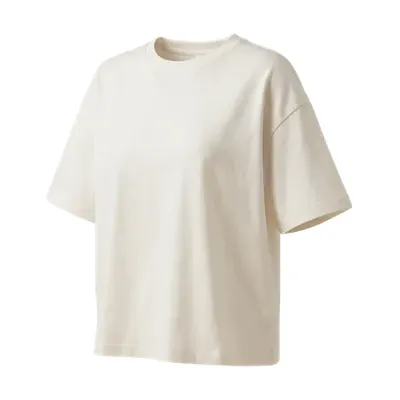
Someone who taps a pin of a lamp wants to find that lamp on your page. Pinterest's help asks that the page matches the pin (part 5). For a product, we read that as its picture, what it costs today and the way to the shop. A row of text links leaves that search to the reader.
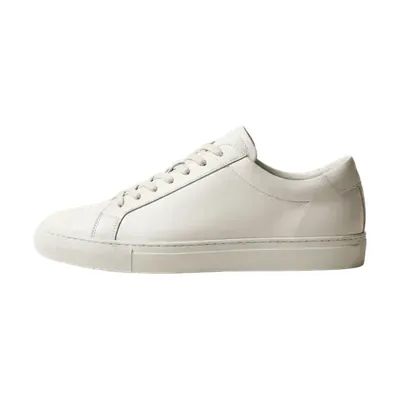
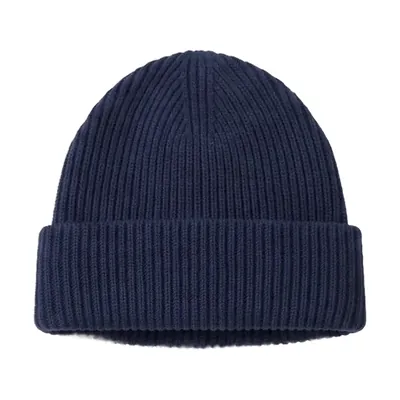
What our own plugin does in that post
MyFeeds is the plugin we make. It does nothing on Pinterest. In the post a pin leads to, you pick products of a shop you're an affiliate for, and readers see them as cards like these.
The products come from the shop's product feed, its whole range as one list, which your affiliate network gives you once the shop has accepted you. If the feed reaches you as a link, the plugin reads it again every night and updates price, stock, picture and link in your published posts.
Where it stops, so you can rule it out quickly. It needs WordPress, the block editor and a shop that shares a product feed. The disclosure stays your job. Amazon links are not part of the free plugin (the plans table shows which plan has them), and they show neither picture nor price unless Amazon has given you access to its product data.
Questions people ask
Asked in Pinterest's business community and in search, here in our words.
My pins or my site were flagged as spam. Who do I ask?
Pinterest's Support, with a ticket. Pinterest's guide for blocked links asks you to check your link, the page behind it and your domain against the community guidelines first, then to file the ticket.
Moderators in the business community cannot review or unblock a site, and nobody can promise a way back: one site owner reported in September 2026 that two appeals were declined without naming the policy.
A friend bought through my Amazon link and no commission showed up. Why?
Probably because Amazon pays no commission on it: the Program Policies forbid buying through your own links, or asking friends, relatives or people you work with to do it.
An ordinary order also counts only once the item is shipped and paid for. For anything else, Pinterest's team sends you to Amazon, which handles the tracking and the payments.
And two shorter ones
Do I need a blog or a website for it?
No. The affiliate link can sit on the pin itself. A post of your own gives you room to explain your picks, and one place to correct when a product changes.
What is the difference between the link field and a product tag?
The link field gives the whole pin one address. Product tags mark single products on a pin, up to 20 of them, each with its own link. The shop is told about a tag and can opt out.
Sources (25)
- Commercial and branded content guidelines, Pinterest Last updated April 2025. The affiliate guidelines and the rules for paid partnerships.
- Terms of Service, Pinterest Effective 30 April 2025, section 2(c): a business account for commercial use. The same in the version that applies from 12 November 2026.
- Get a business account, Pinterest Business help Free. A converted account keeps its pins and followers.
- Community guidelines, Pinterest Last updated May 2026; a new version applies from 12 November 2026. Original content on the linked site, redirects and shorteners are in both.
- Pin performance and distribution, Pinterest Business help No set window for a pin, repeated pins, what the page behind a pin needs.
- Tag products in your Pins, Pinterest help The affiliate switch, 20 products for each pin, the shop's opt-out.
- Getting started with affiliate links on Pinterest, Pinterest Create 6 June 2025. Pinterest is not part of the affiliate agreements; the commission depends on your programme.
- Can I use Amazon affiliate links directly in my Pins without a landing page?, Pinterest Business Community Answers from Pinterest's team, 6 May 2025.
- Pin it, link it, earn it: your guide to affiliate links on Pinterest, Pinterest Business Community Pinterest's team, 15 July 2025. The official partners.
- Is Pinterest's affiliate slider sufficient for Amazon disclosure?, Pinterest Business Community Answer from Pinterest's team, 13 August 2024.
- Tip of the week: turn one product into five fresh Pins, Pinterest Business Community Pinterest's team, 7 October 2026.
- How to: get support for links blocked for spam, Pinterest Business Community Pinterest's team, 18 August 2026. What to check first, where to file the ticket, what moderators cannot do.
- Verified domain blocked as Pin link destination, Pinterest Business Community A site owner's report, 17 September 2026. Not a statement by Pinterest.
- Amazon affiliate links not working, Pinterest Business Community Answer from Pinterest's team, 28 September 2026.
- Question for anyone using the Amazon integration, Pinterest Business Community A creator's report, 16 September 2026. Not a statement by Pinterest.
- Review Pinterest Analytics, Pinterest Business help Outbound clicks, and the list of top pins. Analytics need a business account.
- Pinterest adds Amazon Storefront linking for creators, Pinterest newsroom 10 June 2026.
- How to use Amazon Storefront linking to monetise your Pinterest content, Pinterest Create 15 June 2026. Eligible business accounts, arriving region by region.
- FTC's Endorsement Guides: what people are asking, US Federal Trade Commission Affiliate links, “paid link”, platform tools.
- Disclosures 101 for social media influencers, US Federal Trade Commission November 2019. Where a disclosure is likely to be missed.
- Affiliate marketing, Advertising Standards Authority and CAP 22 March 2023. “Ad” at the beginning of a Pinterest description, and the 2020 ruling.
- Associates Program Operating Agreement, Amazon (US) Updated 15 October 2025. What a Site is, and the sentence in section 5.
- Associates Program policies, Amazon (US) Updated 14 April 2026. Naming your Sites, images, prices, short links, your own purchases, when a purchase counts.
- Associates operating agreement: what's changed, Amazon (US) Effective 14 April 2026. Paid and boosted advertisements.
- Why do I have to identify myself as an Associate? How should I do this on social media?, Amazon Associates help (US) Undated, as shown in October 2026. A disclosure near each link, the sentence with your account.
Where to go next
Pick your next step.
Give your pins a post worth the click.
Free on WordPress.org for one shop's feed. Paid plans each start with a free trial.
Want to see the plans first? Compare the plans.